
Nircle Tools
Pro Tips, How-tos- Insights on Nircle Tools
Member Since: 2 years ago
What are commmunity-based hashtags on Nircle?
Using these community hashtags in your posts adds your posts to the community feed on. your Nircle homepage to reach audiences aligned with your content, increasing engagement and visibility. --- Feel free to use other related hashtags! categories or additional hashtag ideas? π
How Does My Content Get Discovered on Nircle?
Here are a few ways people discover your content on Nircle. They can search by color, hashtags, and keywords Boost Your Discoverability on Nircle! π Add Color: Add color, Use vibrant designs, images, and videos to make your posts pop! π Use Keywords: Add relevant keywords in titles, captions, and tags for searchability. π Leverage Search Intent: Create content that answers what users are searching for. βοΈ Optimize with #NircleSEO: Add meta descriptions, to videos, feeds post, blog ...
How to set up your nircle email service
From Your Nircle app homepage Tap "email" Set up your email Select a username Save #nircletools #HowTo
How to Have Friends Follow You Via Your Profile QR code
Access Your Profile: Open the Nircle app and navigate to your profile. Find Your QR Code: Tap the QR Code icon (usually located at the top of your profile or in the settings menu). Ways to Connect: Option 1: Have Someone Scan Your QR Code Show your QR code to others and let them scan it using their phone's camera or the Nircle app's QR scanner. Option 2: Scan Someone Else's QR Code Tap the "Scan QR Code" option on your screen to follow someone by scanning their code. Share Your QR Code: Save...
Profile QR Code: How to Have Others Follow You on Nircle App
How to Use Your Profile QR Code to Gain Followers on the Nircle App ππ± Access Your Profile π€ Open the Nircle app and navigate to your profile. Find Your QR Code π Tap the QR Code icon (usually located at the top of your profile or in the settings menu). Ways to Connect π Option 1: Have Someone Scan Your QR Code πΈ Show your QR code to others and let them scan it using their phone's camera or the Nircle app's QR scanner. Option 2: Scan Someone Else's QR Code π Tap the "Scan QR...
Features of the Places Tool: Adds destination to your post
Add important landmarks, sites and destinations using the "places" tool on your Nircle feed editor Add places by tapping places and typing keywords or browsing nearby spots in the search box. Example Site Categories: ποΈ Beaches Example: Kogi , Lokoja ποΈ Historic Sites Example of Places to Add: Machu Picchu, Peru π² Natural Wonders Example of Places to Add: Nairobi, Kenya π‘ Attractions & Entertainment Example of Places to Add: Accra, Ghana ποΈ Urban Destinations Example...
Tag and checkin your locations
The Location Tool on Nircle allows businesses and users to interact in multiple ways: ποΈ Promote and sell products directly through shoppable posts and tags your business or product location. π Share current travel experiences with followers. π Check in at locations to engage socially. β Leave detailed reviews to help others. π Highlight unique spots or hidden gems. ποΈ Helps Nircle highlight shoppable goods to users near them on Nircle map. 1. For Businesses and Entreprene...
Nircle Search Keyword Strategy for Bloggers
1. Keyword Research: Lay the Foundation for Blog Success Keyword research is the first step in making your blog content discoverable online. Focus on keywords with strong monthly or annual search volume to ensure your content attracts a meaningful audience. Avoid targeting keywords with low interest or minimal searchesβchoose alternatives with better potential. 2. Ask These Critical Questions When Choosing Keywords Search Volume: Are enough people searching for this keyword to justify its us...
Quiz: Know your Nircle tools
Nircle Quiz: what's the difference between places and location tags on Nircle editor?
How to Become Discoverable on Nircle
π Become Discoverable on Nircle! π Want to expand your reach and get noticed? Follow these simple tips to boost your visibility and grow your Nircle community! πβ¨ π Use Hashtags and Keywords: Add relevant hashtags and keywords to your posts so people can find your content easily! π₯ Follow Other Accounts: Connect with people in your niche β itβs the best way to engage and stay updated. π Dive into discussions, share your knowledge, and watch your network grow on Nircle! ...
Pin Unlimited
π Pin Unlimited Posts on Nircle! π Now you can keep all your top content front and center! Stack up your best posts, showcase your journey, and make your profile shine brighter than ever. π π No limits to the stories you want to pin. Just keep adding, keep stacking, and let your highlights speak for themselves! π Start pinning on Nircle and make your profile unforgettable! #NirclePin #StackItUp #NirclePinnedPost
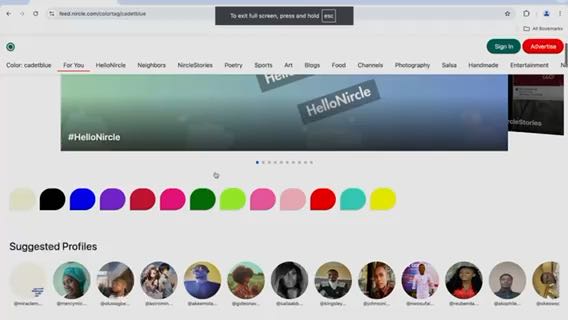
Boost your contentβs visibility on Nircle with
Color tag your posts! Boost your contentβs visibility on Nircle with Color Tags! π Add a color tag to make your posts, feeds, and search results stand out and reach a bigger audience. Discoverability made easy! #NircleTips #ColorTagging #Discoverabilityβ #NircleHowTo
How to Create a Nircle Blog Tutorial
How to create a Nircle Blog - #NircleHowTo https://nircle.com/post/step-by-step-tutorial-how-to-set/l1pzlSWTYofahWZi
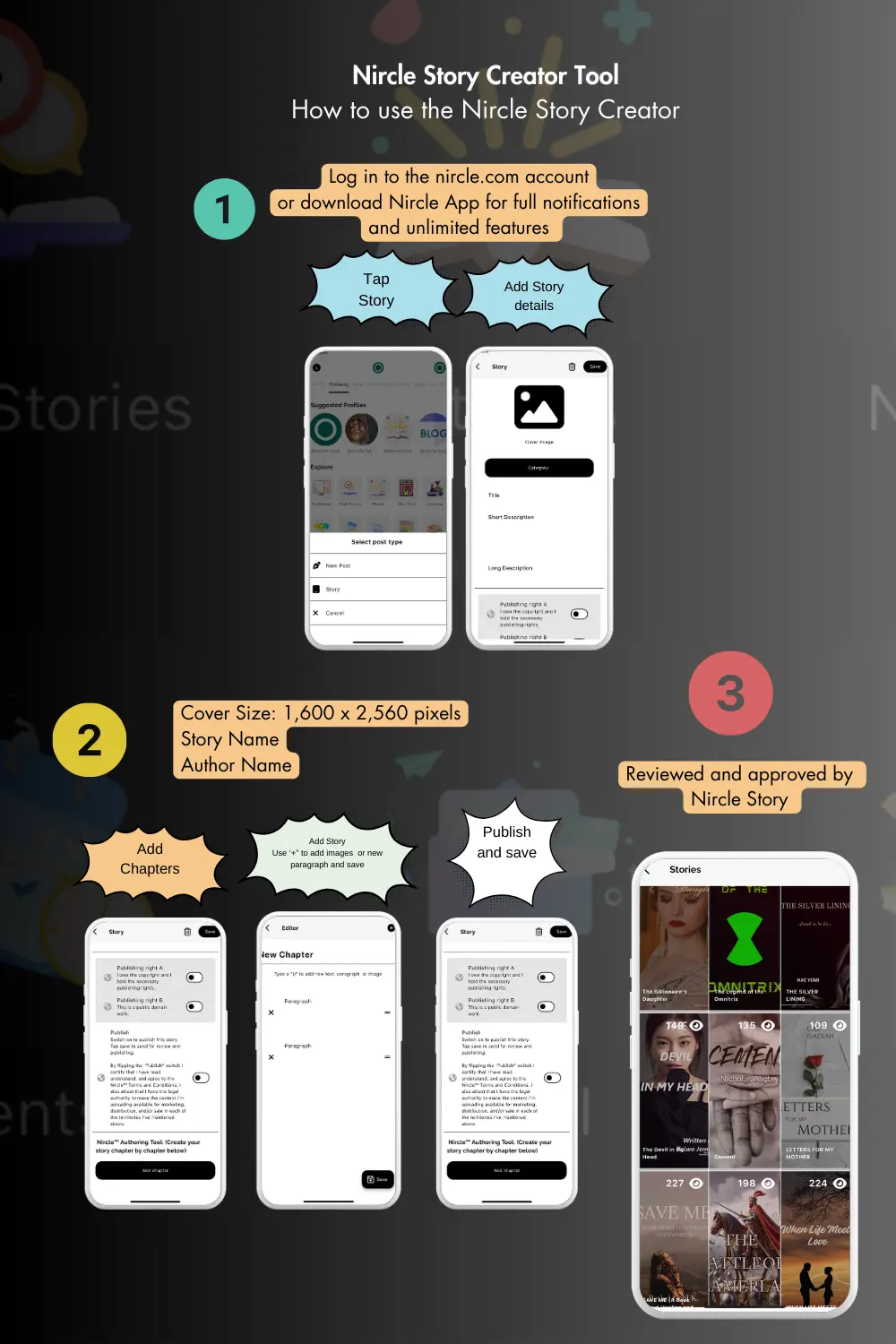
How to Use the Nircle Story Creator
1. Open your Nircle app and tap on "Story" 2. Add story details (Title, descriptions, and begin adding chapters, Cover dimension is 1,600 x 2,560 pixels) 3. Using the Story Editor (Use + to add an image, or new paragraph within a story) 4 Select the publishing rights to your story, and publish and then SAVE 5. Nircle Story Team will review and approve. Note, you can add more chapters/episodes to your story #NircleTools #NircleStoryCreator #NircleHowTo
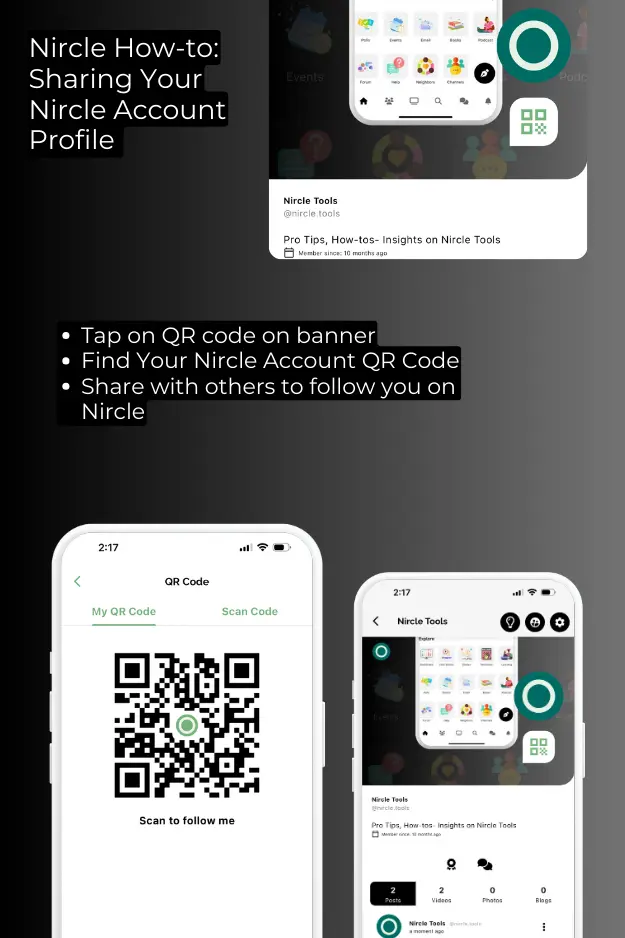
Sharing your Nircle QR code
Hereβs how you can make yourself more discoverable: Open the Nircle app on your device. Look for the QR code icon on the banner at the top of your home page screen. This icon is your personal Nircle QR code. Tap on the QR code icon. This action will display your personal Nircle QR code, which is a unique identifier for your account. Screenshot and Share: Take a screenshot of your QR code and share it through various messaging apps, email, or social media platforms and on Nircle to communitie...